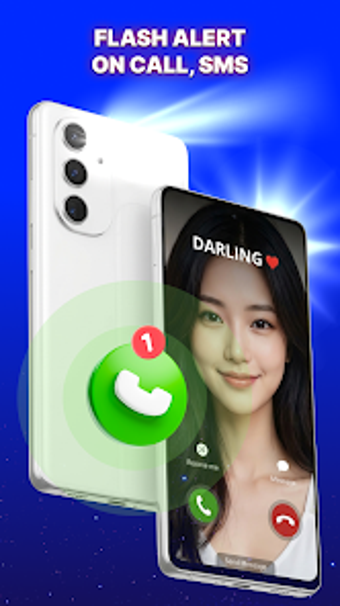
On-device LED alerts and strobe control for Android
LED Flash Alert - Strobe Light by ngaoschos is an Android personalization utility that uses the device camera flash to signal incoming calls, SMS, and app notifications. The app operates an on-device visual notification system with per-app selection, adjustable flash speed and SOS mode for emergencies. It also includes a strobe/flashlight with frequency control and a battery-saving cutoff that disables flash below a set percentage. It suits users in noisy places or with hearing impairment needing reliable silent alerts.
What does LED Flash Alert do?
The app converts the rear camera LED into a notification channel that flashes for incoming calls, SMS, and selected third-party apps like WhatsApp, Messenger, and Instagram. It also bundles a strobe/flashlight tool, plus an SOS mode for emergency signaling. The functionality is explicit: visual alerts operate while the phone is in silent or vibrate, providing a non-audible notification alternative for noisy environments or meetings.
How much can you customize flash patterns?
Customization focuses on pattern, speed, and app-level control. Users can adjust flash speed and duration via a slider or toggle, set different patterns to distinguish calls from messages, and choose which installed apps trigger the LED. Preset behavior includes separate strobe frequency for flashlight use and a dedicated SOS pattern, letting users assign visually distinct cues without opening the notification center.
Does the app affect battery life or performance?
The developer includes an automatic battery-saving cutoff that disables flash alerts below a set percentage, explicitly limiting power drain. Because the app activates the camera LED and offers high-frequency strobe modes, prolonged use increases battery draw and camera LED activity. The app targets devices with rear camera flash; behavior depends on hardware, and power impact can be mitigated by lowering frequency or enabling the battery threshold.
Is it straightforward to set schedules and app selections?
Setup uses explicit controls for timing and app permissions, including a Do Not Disturb scheduling option to silence flash alerts during chosen hours and manual selection of apps that may trigger the LED. Frequency adjustment uses a visible slider or toggle for strobe speed, and SOS and flashlight functions are available from the same interface. These elements suit users who need clear on/off scheduling without deep technical configuration.
A practical visual-alert choice supported by community feedback
Community reception notes reliable operation in silent mode, and the developer's focus on utility and personalization suggests intentional design for notification scenarios. For users who need conspicuous non-audible alerts, the app delivers predictable behavior and options to limit power use. Users who require solutions on devices without a rear LED should consider hardware limits before relying solely on flash signaling.
Pros
Per-app selection for LED notifications
Adjustable flash speed and duration via slider or toggle
Battery-saving cutoff disables flash below set percentage
Built-in SOS and strobe flashlight modes
Cons
Requires a device with a rear camera flash
High-frequency strobe increases battery and LED activity
Pattern distinctions require manual assignment per app
Laws concerning the use of this software vary from country to country. We do not encourage or condone the use of this program if it is in violation of these laws. Softonic may receive a referral fee if you click or buy any of the products featured here.